
MCP app UIs
Hosts that support MCP Apps render most
tool results as an inline widget instead of raw JSON. The five UIs are embedded
in the binary and served as ui://polar-flow/*.html resources; each tool
advertises its UI in _meta.ui.resourceUri. Hosts without MCP-app support get
the same data as the usual text/JSON result.
The screenshots below use sample data.
Sessions — sessions.html
Section titled “Sessions — sessions.html”Tools: list_training_sessions, get_training_session_summary,
get_training_session_details.
The list renders one card per session, newest first:

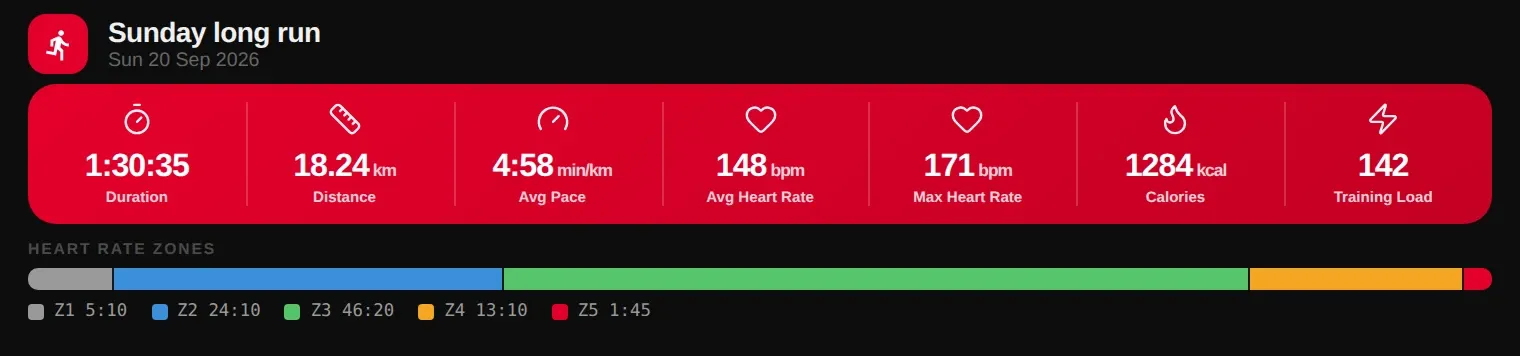
Clicking a card calls get_training_session_summary from inside the widget
and drills into the summary — duration, distance, pace or speed (per sport), heart rate, calories,
training load and time in each heart-rate zone:
Training targets — targets.html
Section titled “Training targets — targets.html”Tools: list_training_targets, get_training_target,
create_training_target, update_training_target.

A single target shows its phases — warm-up, repeat blocks with work and rest, cool-down — with each goal and heart-rate zone:

Calendar — calendar.html
Section titled “Calendar — calendar.html”Tools: get_calendar_events, get_calendar_week_summary.

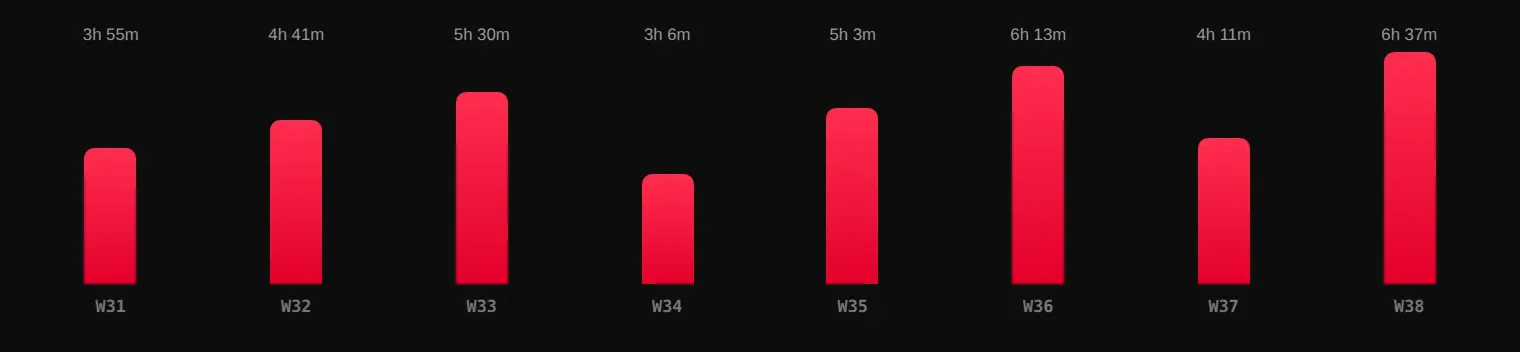
Progress — progress.html
Section titled “Progress — progress.html”Tool: get_progress_summary.

User — user.html
Section titled “User — user.html”Tool: get_user_info.
